
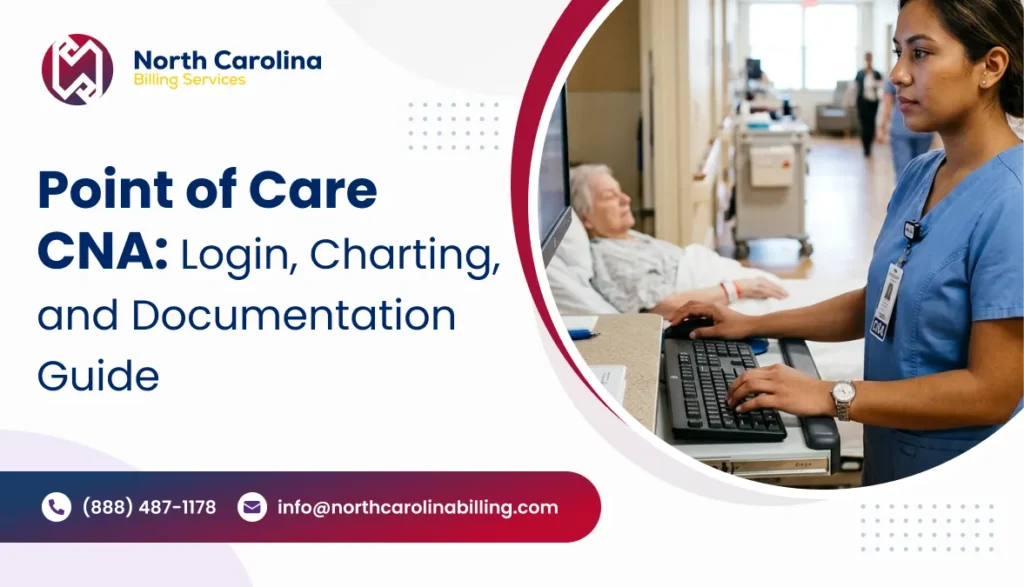
The nursing assistant is now done with aiding the resident in bathing, dressing, and mobility. The care has been taken care of, but more work needs to be done in terms of documentation. This is because if the CNA does not document the help that he/she has offered properly, then the next shift may not know what the resident’s needs are.
Point of Care CNA helps certified nursing assistants document resident care with the PointClick Care point-of-care solution. Rather than solely relying on written documentation or their memory, authorized personnel are able to electronically document care activities.
Skilled nursing facilities and long-term care organizations are provided with documentation that will be helpful for communication between caregivers, resident assessment and documentation that will be reviewed by billing and reimbursement teams.
This guide covers:
- What Point of Care CNA is and how it works.
- How to access the official PCC CNA login.
- How to complete PointClickCare POC charting.
- Common login problems and documentation errors.
- How CNA records relate to skilled nursing assessments and reimbursement.
What Is the Point of Care CNA?
Point of Care CNA is a PointClick Care workflow for documenting the care tasks of certified nursing assistants using PointClickCare’s Point of Care (POC) solution.
This process enables nursing assistants to document details regarding residents’ activities of daily living, such as bathing, movement, toileting, eating, and the extent of assistance required.
Institutions use the documentation to track better their day-to-day requirements and assist nursing staff in identifying any changes which need addressing.
Point Click Care is a provider of software solutions for senior care institutions, including skilled nursing facilities and long-term care facilities. Point of Care is one of its solutions that allows authorized caregivers to document the care information in the institution’s electronic documentation environment.
The available charting options vary based on the specific configurations and permissions.
How to Access the Point of Care CNA Login
PointClick Care provides a dedicated Point of Care login page. CNAs should use the official login address or the access instructions supplied by their facility.
Official Point of Care CNA Login
For authorized nursing assistants and facility staff:
The official POC login interface includes fields for an organization code, username, and password. It also displays alternative input options, although availability and use may vary by facility.
Steps to Log In to Point Click Care CNA
- Open the official login page. Use your facility-approved device and access the Point Click Care POC login address.
- Enter the organization code. Type the code your employer provided.
- Select or enter your username. Choose your assigned account or use the keyboard-entry option.
- Enter your password. Check the information carefully before proceeding.
- Select Login. The system will authenticate your credentials and provide access according to your permissions.
- Open your assigned resident documentation workflow. Confirm that you selected the correct resident before recording care.
If the system rejects your credentials, contact your organization’s designated administrator or IT support team rather than repeatedly attempting different passwords.
PointClickCare Login for Skilled Nursing Staff
Staff who need access to the broader PointClickCare platform can use the official customer login page:
The page provides an entry point for senior care customers and separate access for provider and health plan users.
A qualified nurse aide might be able to access different applications based on their responsibilities at work. The Point of Care access of a CNA does not include administrative, clinical assessment, and billing capabilities.
How Does the Process of Point Click Care POC Charting Work?
POC charting by nursing assistants enables them to document the care of a patient through an electronic method. This involves following the care plan and charting procedures set up in the facility.
1. Verify the Care Plan of the Resident
The nursing assistant should check that he or she has the right patient and also that the assigned activities of care to that patient are captured within the system before undertaking the documentation.
This will prevent errors such as writing about a wrong patient or carrying out documentation on care activities that do not correspond to the care plan of the patient.
For example, whereas one patient may require assistance in moving from bed to wheelchair, another patient may not have any such requirement.
2. Document Activities of Daily Living (ADLs)
ADLs refer to regular personal care tasks that residents can do on their own or with some help.
Common documentation categories may include:
| Care activity | What the CNA should document |
| Bathing | Assistance provided during personal hygiene |
| Dressing | Resident participation and caregiver assistance |
| Eating | Assistance with meals and relevant observations |
| Toileting | Assistance with toileting and related care |
| Transfers | Help required when moving between positions or surfaces |
| Mobility | Assistance provided during movement or walking |
| Personal hygiene | Relevant grooming and hygiene activities |
These records assist the nursing personnel in knowing about the functional abilities and care needed for the individual during his/her daily routines.
These CNA records and MDS assessments are two different things. It is essential that the facility adheres to the correct definitions and observation period related to the MDS assessment while using the existing documentation to make the assessment.
3. Record the Level of Assistance Provided
Accurate Point of Care documentation should reflect how much help the resident actually needed.
Consider two residents who receive assistance getting dressed.
The first resident completes most of the activity independently but needs help with buttons. The second resident requires substantial physical assistance throughout dressing.
Assigning the same level of assistance for both individuals will be misleading with respect to their capabilities.
CNAs should adhere to the response options and definitions set forth in their facilities and avoid choosing the easiest default option.
4. Documenting Change in Condition of the Resident
A nursing assistant can observe changes prior to other care team members.
For instance, a resident who needs little assistance with walking might require more assistance in standing up.
This needs to be reported as an observation and then conveyed right away to the charge nurse according to the facility policy.
Even if the point-of-care reporting preserves the observation, it does not replace the communication with the relevant clinical staff.
5. Reviewing and Saving Documentation
Prior to completing documentation, it is important that staff double-check that they have chosen the right resident, documented the right care activity and described the assistance provided properly.
Correction of errors in accordance with facility policies for documentation and audit trail should be done.
Staff should confirm that the application has saved their entries successfully.
Common Point Click Care CNA Login Problems
Login troubles may hamper documentation especially when nursing assistants have to log care activities during a hectic shift.
The following table outlines potential issues along with corresponding solutions for authorized users.
| Login problem | Recommended action |
| Incorrect organization code | Confirm the code with the facility administrator |
| Wrong username or password | Check credentials and use approved recovery procedures |
| Account locked | Request assistance from authorized IT or administrative staff |
| Login page fails to load | Check network connectivity and the approved URL |
| Missing resident assignments | Contact the supervisor to verify permissions and assignments |
| Session expires | Sign in again through the authorized facility workflow |
What If Point of Care Charting Is Unavailable?
A disruption or disconnection should not result in undocumented resident care.
The CNA should notify the supervisor and use the approved downtime documentation process at the facility.
Upon access, the staff should document care using the organization’s late entry process, documenting the time the care was provided.
They should never alter the timestamp nor document any care that they cannot validate.
Why Point of Care CNA Documentation Matters for Medical Billing
POC CNA is more of a resident care documentation application than a medical claims submission application. However, the data entered by nursing assistants may form part of the clinical documentation used by skilled nursing facilities when making their assessments for claims purposes.
Point Click Care recognizes that among the key features of its POC software are ADL documentation, care team collaboration, and resident assessment integration.
Supporting Accurate MDS Assessments
MDS stands for the Minimum Data Set, which is the standardized resident assessment instrument utilized in nursing homes certified under Medicare and Medicaid.
The assessment covers information regarding the condition, capabilities, treatment, and needs of the residents.
CMS uses MDS information for several purposes, including care planning, quality measures, and Medicare skilled nursing facility payments.
The regulations for these assessments are described in the MDS 3.0 Resident Assessment Instrument Manual.
CNA documentation could be a good source of additional information in case the resident’s functional status evaluation is made by qualified personnel.
For example, the nursing assistant often records that the individual requires substantial assistance during the transfer process. The MDS team can use the documentation along with other clinical data while performing the assessment.
However, the team has to follow the required MDS definitions and assessment deadlines.
Staff cannot automatically transfer a CNA charting selection into an MDS response without checking the relevant criteria.
Understanding the Connection Between CNA Charting and PDPM
The PDPM case-mix classification for the Medicare Part A SNF benefit includes the following characteristics of the resident.
The characteristics include clinical conditions and selected assessment items. It should be noted that it is not simply an exercise of counting CNA care activities to determine the payment.
CMS explains that PDPM classifies covered SNF residents using five case-mix components:
- Physical therapy (PT)
- Occupational therapy (OT)
- Speech-language pathology (SLP)
- Nursing
- Non-therapy ancillaries (NTA)
A separate non-case-mix component also contributes to the payment calculation.
Information on functional status derived from the pertinent MDS items may affect some elements within the PDPM.
Critical difference to note: The Point Click Care CNA data can help substantiate the clinical documentation evaluated for the purposes of the assessment; however, they do not make up a PDPM payment category by themselves.
For the fiscal year 2027, please make sure to use the pertinent CMS SNF payment guidelines and MDS guidance.
Common CNA Charting Errors That Affect Documentation Accuracy
Even when a facility uses electronic charting, staff can make mistakes that compromise the accuracy of resident records.
Recording Care Long After Completion
A chart several hours later can easily become inaccurate, particularly when many residents with similar tasks require assistance from the employees.
Institutions need to encourage recording as close to the care activity as possible within the context of their policies.
Selecting an Incorrect Assistance Level
It is possible for caregivers to create false records of residents’ capabilities when they repeatedly make the same selection for various caregiving scenarios.
For instance, recording that the resident can move about independently even though he or she needed help is an illustration of a false record of care.
This problem can be minimized through training.
Copying Previous Documentation
The requirements of a resident may vary with each shift.
Without verifying the details of what happened in the shift, duplication of previous entries may not allow for highlighting any changes that took place.
Entries need to depict facts and completed tasks.
Missing Care Activities
The CNA may give the needed care to the patient but may fail to record that.
The incomplete information may make it harder for other employees to understand what has transpired from the patient.
It is improper for supervisors to tell employees to record something without confirming it first.
Incorrect Resident Selection
The incorrect profile of the resident can result in the information being filed in the wrong medical file.
It is important for the staff to verify the identifier of the resident prior to making an entry, especially with the use of a shared computer.
How Facility Administrators Can Help with PCC CNA Documentation
Quality charting goes beyond simply providing access to logins for employees. The facility needs quality procedures and training for this.
State Clearly the Requirements for Charting
There must be a clear indication by the administrators of what tasks are to be recorded, when the recording must be made and what is to be done if the system is down.
Check Incomplete Documentation Regularly
Nursing supervisors can check the charting for missed entries, recurring choices, and other anomalies.
These checks need to concentrate on identifying issues that need explanation or staff training.
A missing chart entry does not justify assuming that care occurred.
Coordinate CNA Documentation With MDS Reviews
The MDS coordinators need to be aware of those POA documents that can assist in supporting the process of the assessment.
In case the information contained in the CNA record differs from that obtained by the nursing staff, the assessment team needs to explore the cause for the difference according to the guidelines given in the MDS.
Protect Resident Information
Point Click Care users handle sensitive resident information.
Employees are expected to sign on using their individual credentials, keep their passwords safe, sign off from public computers, and restrict their access to information pertinent to their work.
The management of the organization must ensure that access privileges are reviewed in case of any changes in the designation of the employees or when they leave the organization.
Point of Care CNA vs. Point Click Care EHR
Although both operate within the Point Click Care environment, they serve different documentation needs.
| Feature | Point of Care CNA | Broader Point Click Care EHR |
| Primary purpose | Record direct resident care | Support broader clinical and administrative workflows |
| Typical users | CNAs and authorized care staff | Nurses, clinicians, administrators, and other authorized users |
| Main activities | ADL charting, assigned tasks, care observations | Clinical documentation, assessments, and other configured functions |
| Billing role | Provides supporting care records | May include financial and billing-related functionality |
| Access | Permissions for assigned POC functions | Permissions based on job role and subscribed applications |
Facilities may configure their available applications and permissions differently.
Does Point of Care CNA Require CPT or ICD-10 Codes?
CNAs generally do not select CPT, HCPCS, or ICD-10-CM codes as part of routine Point of Care charting.
These coding systems serve different purposes.
ICD-10-CM codes identify diagnoses and health conditions. Qualified coding staff use appropriate provider documentation and coding guidelines to assign reportable diagnoses.
CPT and HCPCS codes identify procedures, professional services, supplies, and other items where applicable. Their use depends on the service, payer, and billing arrangement.
PDPM classification uses specified clinical and MDS information to determine case-mix classifications for covered Medicare Part A SNF stays.
CNA records may support the broader clinical record, but documenting assistance with bathing or dressing does not automatically establish a separately billable procedure.
CMS also applies skilled nursing facility consolidated billing requirements to many services furnished during covered stays. Billing staff must determine which services fall under the facility’s payment arrangement and which exceptions apply.
For billing managers, the priority is maintaining a consistent relationship between resident documentation, completed assessments, clinical records, and submitted claims.
Frequently Asked Questions
1. What is Point of Care CNA used for?
Point of Care CNA helps certified nursing assistants electronically document resident care activities, assistance levels, and relevant observations. Skilled nursing and long-term care teams use this information to coordinate care and maintain accurate resident records.
2. Where can I access the PCC CNA login?
Authorized staff can access the official Point Click Care Point of Care login . Your facility must provide the required organization code and account credentials.
3. Is Point Care the same as Point Click Care?
People sometimes use the term Point Care when referring to Point Click Care’s point-of-care documentation functions. However, Point Click Care is the company’s name, and Point of Care is a specific application. Other products may also use the name Point Care, so users should verify the platform they need.
4. Can CNAs access Point Click Care on mobile devices?
Access depends on the applications and devices that the facility supports. Point Click Care offers mobile-enabled care documentation solutions, but access to a particular application requires appropriate organizational authorization.
5. What should I do if my PCC login is not working?
Confirm the official login address, organization code, username, and password. If the problem continues, contact your facility administrator or authorized technical support team. Avoid entering credentials on unfamiliar websites.
6. Does Point Click Care POC charting affect Medicare reimbursement?
POC charting may contribute supporting observations that the assessment team reviews. Medicare SNF payment depends on the applicable PDPM classification, assessment rules, coverage requirements, and other billing conditions—not the number of CNA entries alone.
7. What does PCC stand for in nursing documentation?
PCC commonly refers to Point Click Care in skilled nursing and long-term care software discussions. POC stands for Point of Care, while CNA stands for Certified Nursing Assistant.
8. What is the difference between CNA charting and MDS documentation?
CNA charting records daily care and resident observations. MDS documentation follows standardized assessment requirements established by CMS. The MDS team may review CNA records, but it must apply the official assessment instructions when coding MDS items.
Conclusion
Point of Care CNA gives nursing assistants a practical way to document daily resident care electronically. Accurate entries help nursing teams understand changes in resident needs, maintain consistent care records, and support the information reviewed during formal assessments.
For skilled nursing administrators, the greatest benefit comes from combining timely charting with proper staff training, documentation reviews, and coordinated MDS processes.
Although Point Click Care POC does not replace medical billing software or reimbursement expertise, accurate resident documentation can help facilities maintain the records needed for compliant skilled nursing operations.
Improve Skilled Nursing Billing Accuracy With Better Documentation
Accurate resident records are essential, but billing teams must also manage MDS-related reimbursement requirements, claim accuracy, and payer guidelines.
Need help with skilled nursing billing and revenue cycle management? Our medical billing team can help your facility review billing workflows, identify documentation-related claim issues, and manage reimbursement processes more effectively.
Contact Us to Discuss Your Billing Needs.